
What’s New in RICOH CloudStream v2.8.0?
In this version, we added several new features, fixed some bugs, and made some improvements for DM and Print&Scan, and following components are included.
| Version category | Version | Update | Detail |
| Release note version | v2.8.0 | ✓ | – |
| Component version (DM) | v1.4.0 | ✓ | See what’s new and release note below. |
| Component version (Print&Scan) | v2024.10.17 | ✓ | See what’s new and release note below. |
◆DM component(v1.4.0)
・Azure MFA support
- CloudStream now supports Azure MFA to enhance security. This supports the following authentication methods: SMS, OAuth Software Tokens, and Authenticator app.
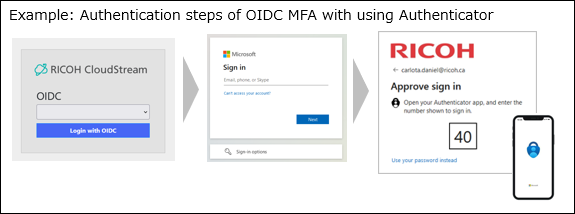
- Limitation
- CloudStream PS embedded application does not support Oauth 2.0 and OIDC MFA login. It can only support PIN, Card and user name and password. When OIDC MFA is enabled, the embedded application cannot support login using username and password and will show “Invalid Credentials” during login.
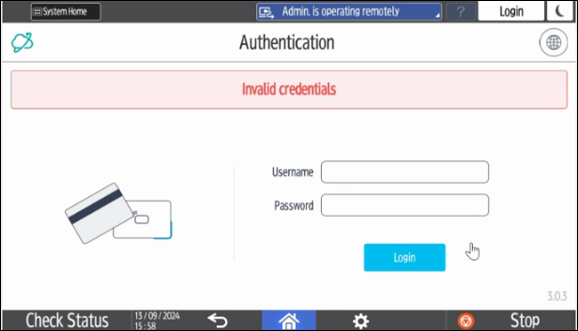
- CloudStream PS embedded application does not support Oauth 2.0 and OIDC MFA login. It can only support PIN, Card and user name and password. When OIDC MFA is enabled, the embedded application cannot support login using username and password and will show “Invalid Credentials” during login.
- Workaround
- The user has to do self-registration in /registration.html page (from DM UI) and login using his OIDC credentials.
- A One-Time Password is generated to allow the user to login to the embedded application.
- When the user login using the username + OTP at the MFP, card registration occurs.
- After registration, the user can login using PIN or card only until OIDC token is expired.
・Flexible Admin Role (FAR) support
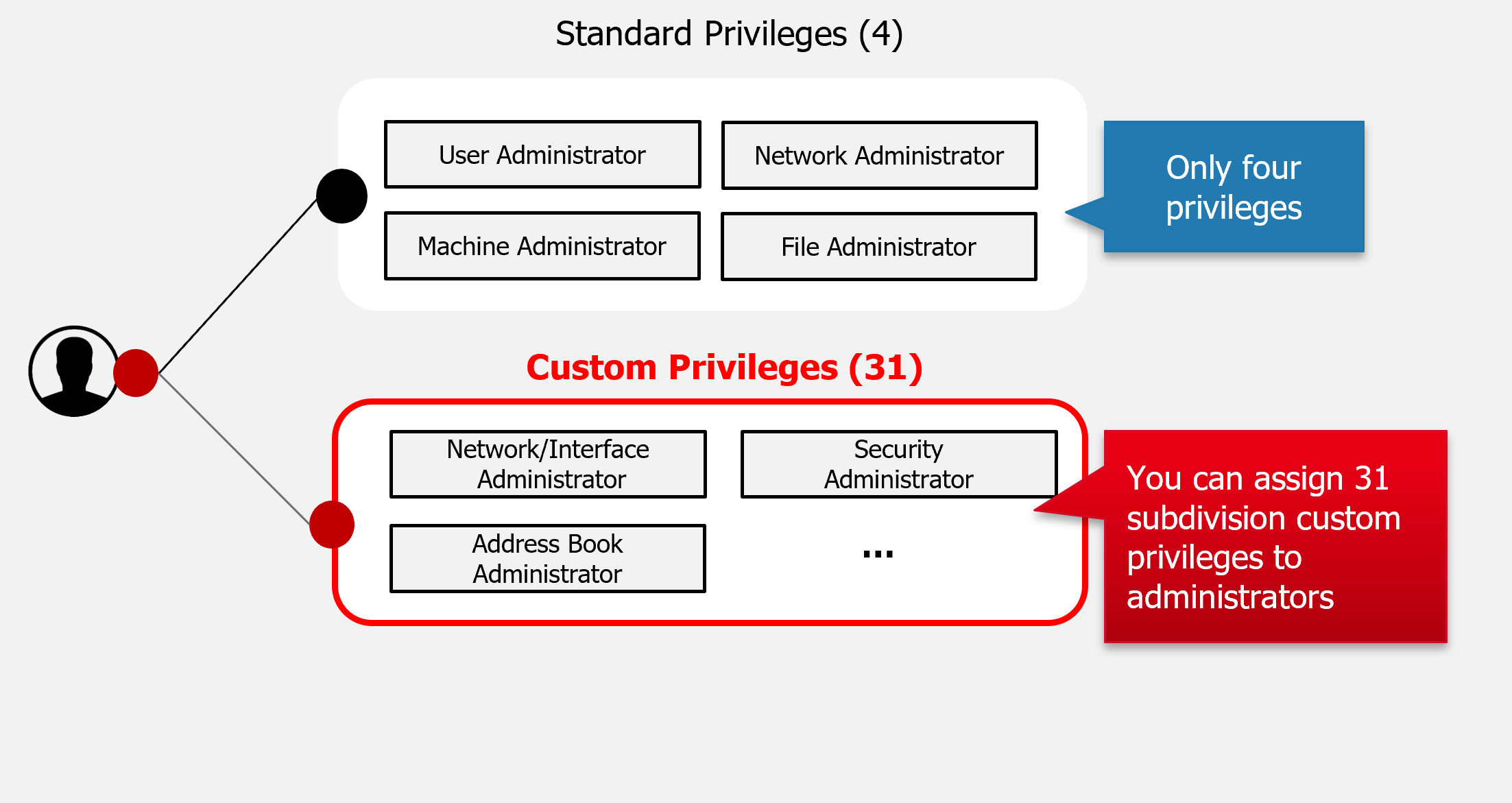
- FAR is a function that supports the flexible use of administrator privileges of MFP. MFP has 4 default previleges, but you can configure more detailed privileges to meet specific customer requirements with FAR. In this version,
- RICOH Gen2 Embedded Client is able to authenticate with FAR privilege.
・Updates on RICOH Gen2 Embedded Client
- We made only improvements and bug fixes for Gen2 Embedded Client in this version. Here are the main bug fixes.
- Finishing options such as stapling and punching are now be applied correctly in a pure cloud environment.
- When “Print All” is used to output documents, they are now printed in the order of submission.
- To update your RICOH Gen2 Embedded Clients, the following options are available: CloudStream DM, Application Site, Terminal Deployment Tool, or *Secondary Gateway.
*Update via Secondary Gateway will be available in the next PS module update version.
◆Print&Scan component(v2024.10.17)
・Password reset feature for users
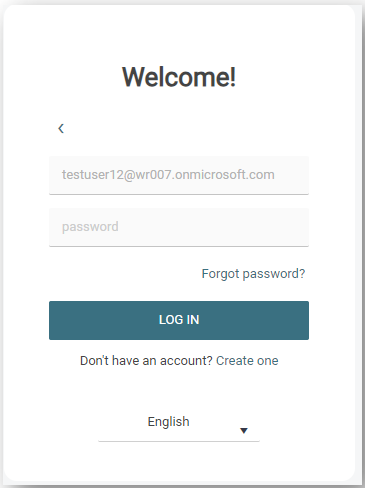
- Local and guest users now have a way to reset their password through sign in screen without needing IT assistance. Once users hit a “Forgot password?” button, they will be sent a secure link to their email address to allow them to set a new password adhering to the password policy set by the customer admin.
Release Notes
+ Added feature
x Improved/changed feature
– Bug fixed
! Limitation
◆DM component(v1.4.0)
Device Management
× Longer group name in Admin role accpeted.
Dashboard/Reporting
No updates.
System
+ Azure MFA supported.
+ FAR supported.
× Validation added to the URL fields with maximum 57 characters and only allowed special character “-“.
× An error message displayed when the admin’s email setting is not set is improved.
× Authentication profile link added on the Groups page and the Departments page on User Management section.
– RICOH Embedded Client verion updated with minor bug fixes.
◆Print&Scan component(v2024.10.03)
PrintScan UI
+ Self-registered users and guests can now reset a forgotten password via the Forgot password button on the login page.
Secondary Gateway
No updates.
PC Client
No updates.
Authentication
No updates.
Performance and security enhancements
– Updated 3rd party components to mitigate vulnerabilities.
Printing
No updates.
Scanning
No updates.
Partner hosted and on-premises installations
No updates.
Ricoh Cloud Terminal (Gen2)
No updates.
Fujifilm BI Cloud Terminal (Gen2)
No updates.
HP Workpath Cloud Terminal (Gen2)
No updates.
Konica Minolta IWS Cloud Terminal (Gen2)
No updates.
Xerox Cloud Terminal (Gen2)
No updates.
Brother Embedded Terminal
No updates.
Canon Embedded Terminal
No updates.
HP OxPD Embedded Terminal
No updates.
HP Workpath Embedded Terminal
No updates.
Konica Minolta Open API Embedded Terminal
No updates.
Kyocera Embedded Terminal
No updates.
Lexmark Embedded Terminal
No updates.
Sharp Embedded Terminal
No updates.
API
No updates.
Chrome Extension
No updates.
Driver
No updates.
Installation (OVA file)
No updates.
Internet ports
No updates.
Mobile app
+ The app now supports communication over the 443 port.
Messaging
No updates.